Document processing

Quorvyn Docyra
In developmentDigitise paper, file it searchably, on your own machine
Quorvyn Docyra turns photos and scans into ordered documents: find the edges, straighten the page, read the text, file it searchably. All processing runs on your own machine, and the archive sits encrypted on your disk.
Planned for: Windows 10 version 22H2 or newer, 64-bit · Linux
At a glance
- Status
- In development, not available yet
- Systems
- Windows and Linux. Windows 10 version 22H2 or newer, 64-bit.
- Processing
- On your device, with one exception that is named further down.
- Price
- Scanning, ordering and exporting as PDF are free for good. Docyra Pro is a subscription.
- Account
- Not needed for the free version. A Docyra Pro subscription is tied to an account.
- Internet
- Not needed. Signing in on Windows and the check of a subscription need a connection from time to time.
What Quorvyn Docyra looks like
Captures of the pre-release, taken on invented test documents.
Scan
Find the edges and straighten the page
Docyra finds the edges of a sheet photographed at an angle and straightens the page. If the detection is off, you drag the corners into place yourself.
Crop 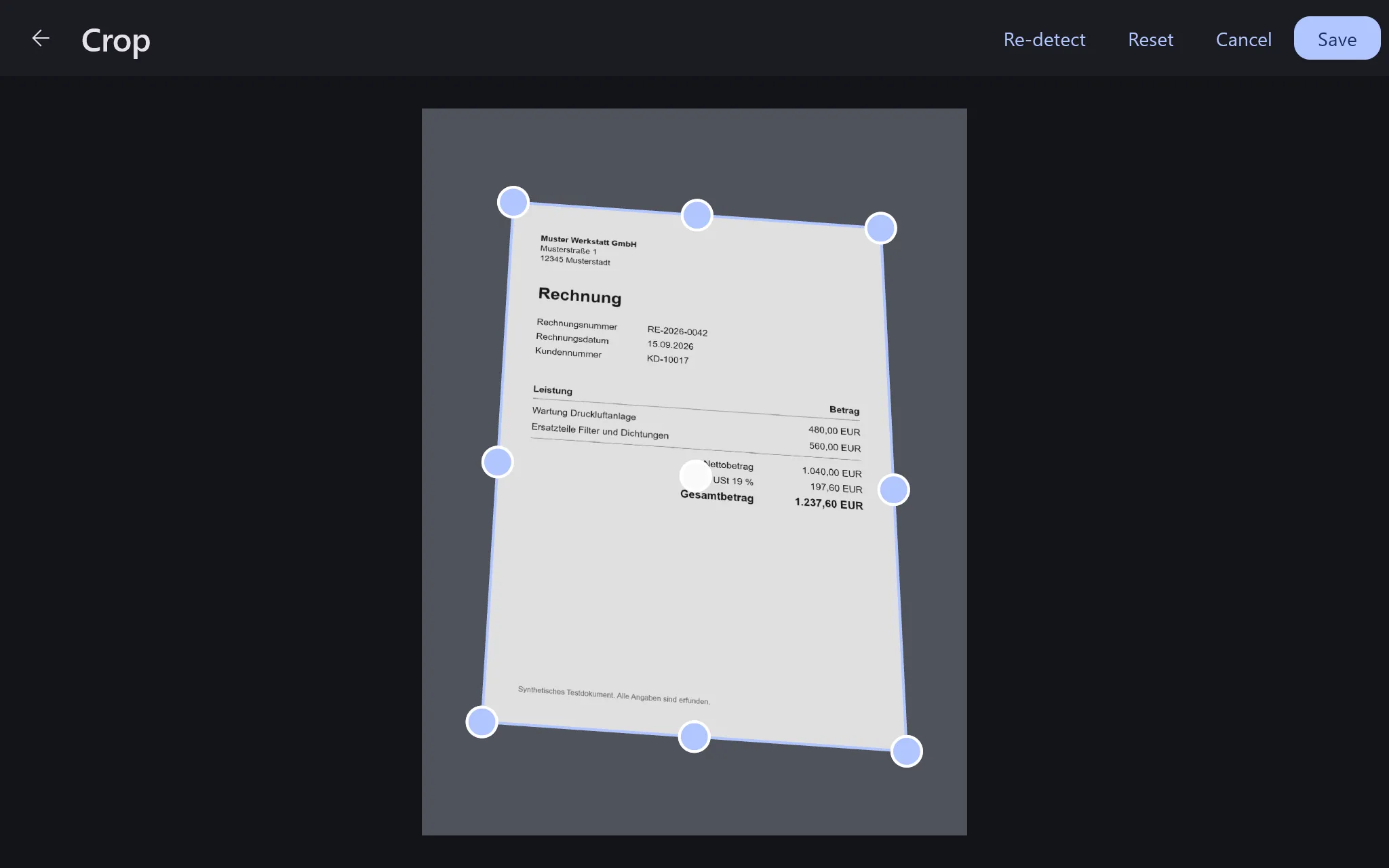
EditPro for text recognition
Edit pages, read the text
Colour, crop and rotation can be changed for each page. With Docyra Pro, Docyra reads printed text and makes your archive searchable.
Editor 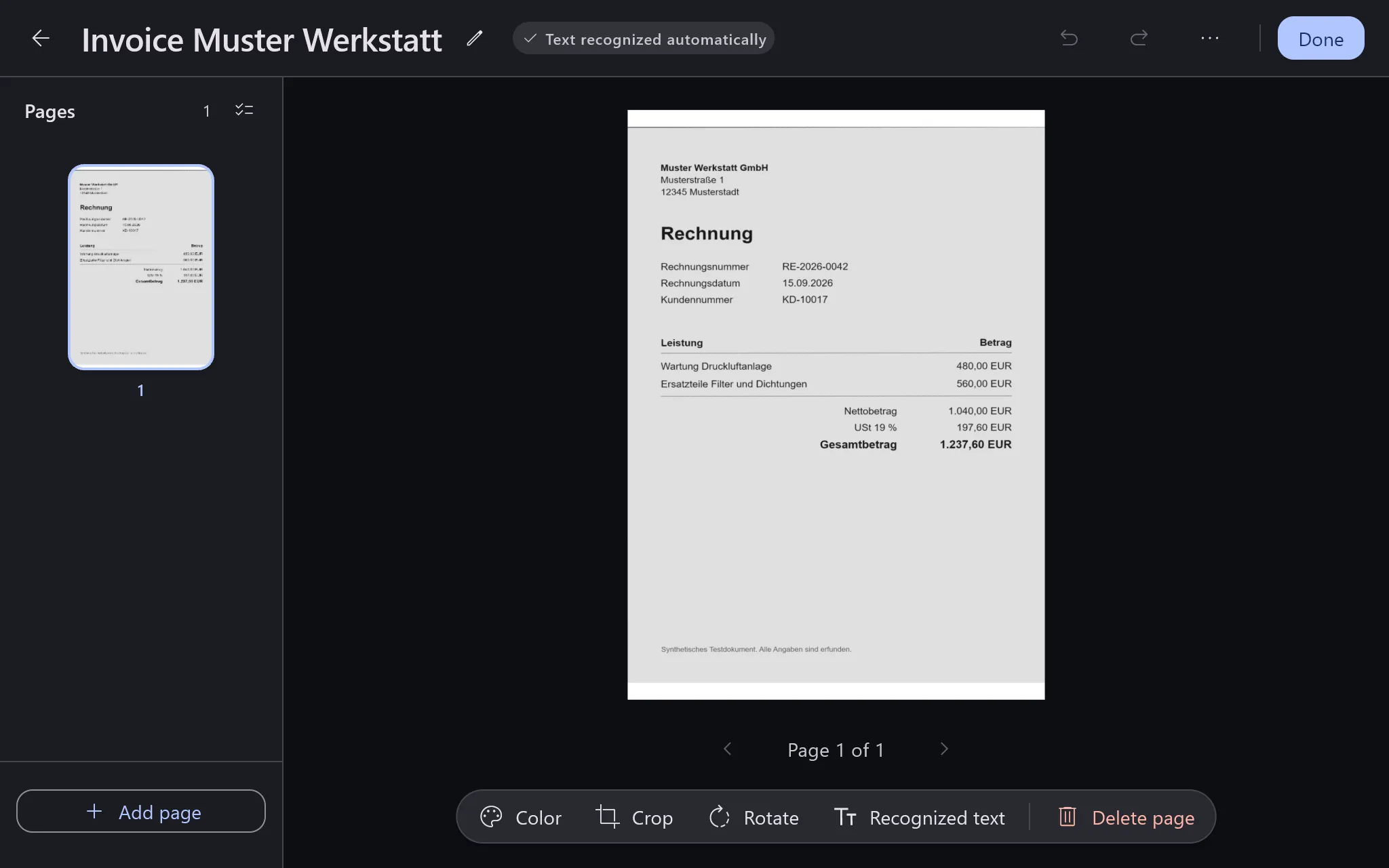
ReceiptsPro
Read receipts
Docyra suggests the date, amount, tax rate, IBAN and invoice number from the recognised text. You confirm every value, and the result is a GiroCode or a CSV file.
Check receipt fields 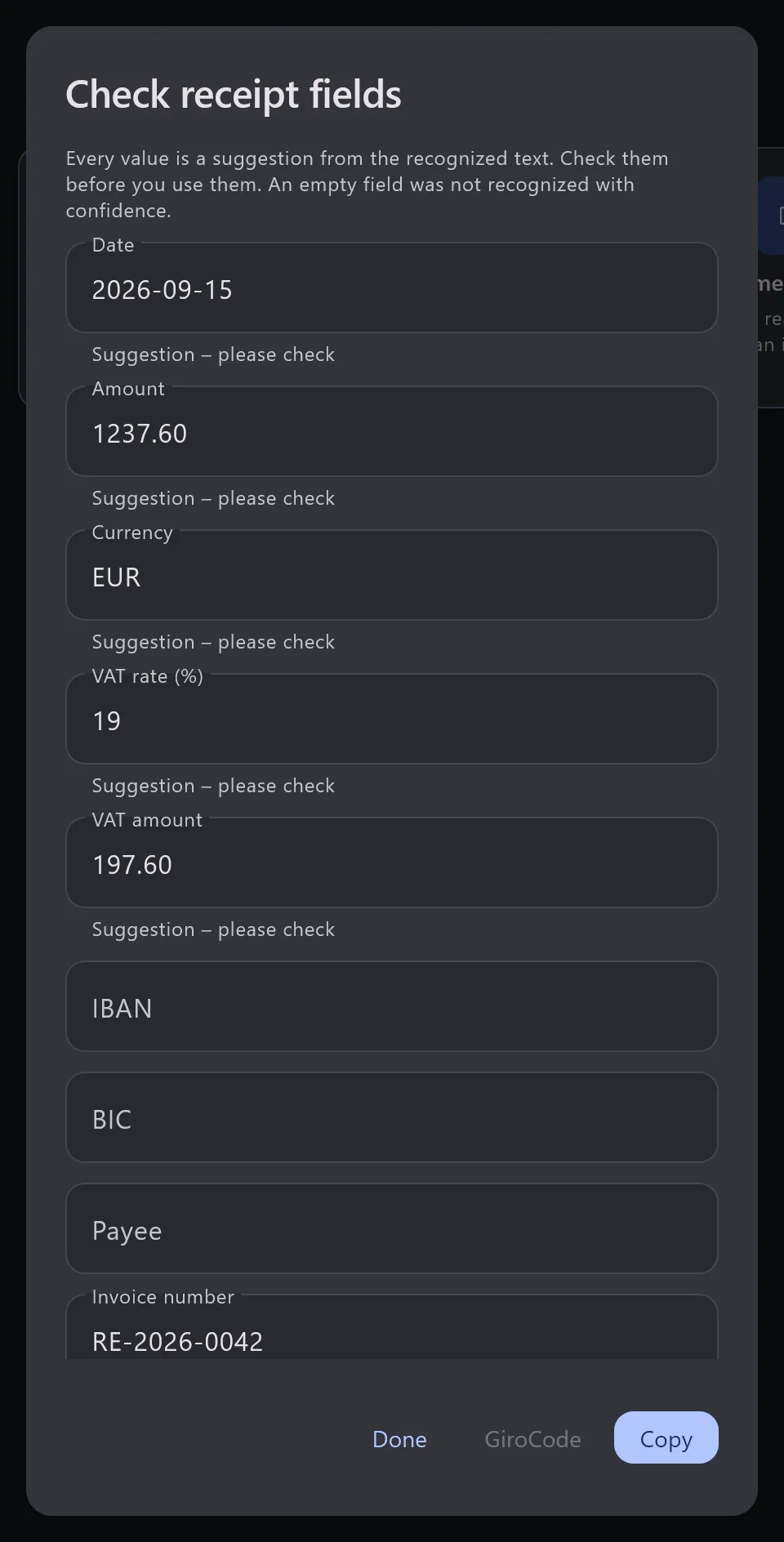
Features
Free, no account
- Find the edges and straighten the page
- Finds the edges of the document in a picture and straightens the page, so that even a phone camera held at an angle delivers a straight sheet. If the detection is off, you drag the corners into place yourself.
- Stored encrypted
- The archive sits on disk encrypted with AES-256-GCM, the keys in the operating system's key store.
- Order and export
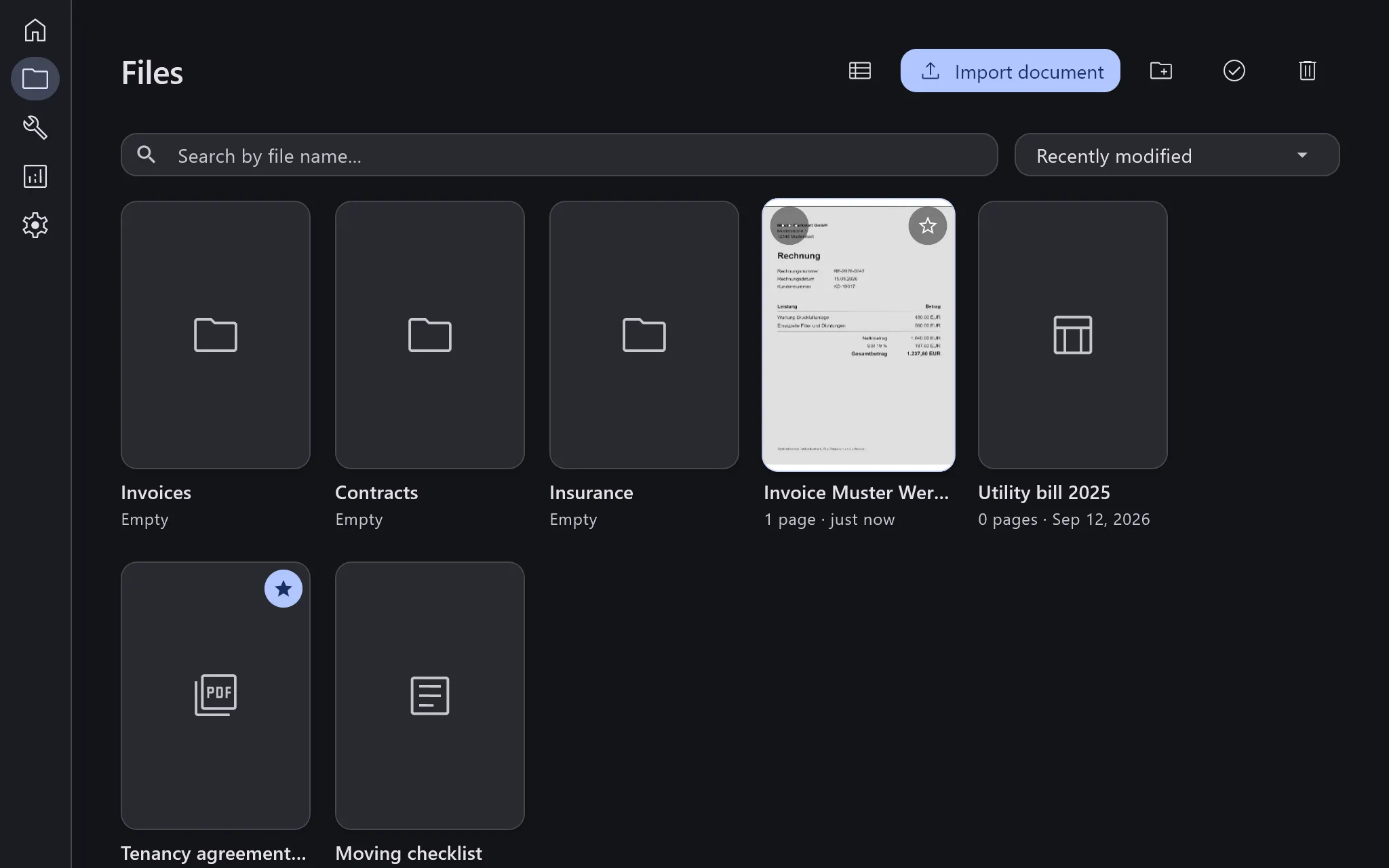
- Sort documents into folders, select several at once and export them as PDF. Ordering and exporting as PDF are free.
- Works without internet
- All analysis models sit on the device with the application, the paid ones included. Used for free, nothing is missing in flight mode. A subscription is checked occasionally and needs a connection for that from time to time, though not on every use.
Quorvyn Docyra Pro
- Read and search the text
- Reads printed text from scans and photos and stores it as full text. After that you search your archive instead of leafing through it.
- Read codes
- Decodes QR codes and barcodes when you ask it to. The content is shown and can be copied, but it is never stored. A link opens only after you have seen the full address.
- Count objects and measure areas
- Counts objects of the same kind in a picture and exports the result as CSV. You can correct the detected boxes first. Docyra measures areas against a reference object whose size you enter.
- Read receipts
- Suggests the date, amount, tax rate, IBAN and invoice number from the recognised text. You confirm every value. The result is a GiroCode for your banking app or a CSV file.
- No document cap
- The free version keeps a limited number of documents, and Docyra Pro lifts that limit. If a subscription ends, all documents remain available and editable.
What Quorvyn Docyra deliberately does not do
These are not open tasks. They describe where Quorvyn Docyra stops, so that nobody builds on the assumption that it carries on.
- No authenticity check
- Docyra does not judge whether a document is genuine. It looks neither for signs of forgery nor for traces of later editing, and it confirms no authenticity. If you have to verify somebody else's paperwork, you need a tool built for that.
- No binding transcript
- Recognised text is machine output and can be wrong. It makes a document findable but does not replace the original.
- No calibrated measurement
- Counted objects are measured in pixels. Docyra Pro measures an area in millimetres only against a reference object whose size you enter yourself, and it states the uncertainty. That does not replace a calibrated measuring instrument.
- No decisions about people
- Results from Docyra are not a basis for decisions about applications, credit, insurance, employment or treatment. What Docyra delivers is a readable, searchable document. The judgement stays with you.
Who Quorvyn Docyra is for
Anyone whose paper and screen keep getting mixed up: receipts, contracts,
official letters, notes. Photographed, they sit in the camera roll as crooked
pictures. Scanned, they become files with names like scan_0043.pdf. Either
way they are there but not findable.
Docyra starts exactly there. It prepares a picture so it reads like a document, reads the text out of it and files the result where you can find it again.
Rule or model
Straightening the page and decoding a QR code are fixed rules built on geometry and a known code format, with no prediction involved. Finding the corners of a page, reading text and counting objects, on the other hand, run on trained models, because pages, writing and objects do not fit a rigid formula. All models sit on your device alongside the app and are never sent anywhere.
Under the Cyber Resilience Act, we have classified Docyra ourselves as a product with digital elements that counts neither as important nor as critical, so we assess its conformity ourselves, without a notified body. The models involved are not high-risk systems under the EU AI Act and are subject to no specific transparency obligations.
Privacy
Processing runs entirely on your computer. There is no upload of document content to Quorvyn or to third parties, and no connection through which such content could leave the device. That is not a setting you have to switch on but the way the application is built.
What still leaves the device on Windows is named in the note below this section. Signing in involves the sign-in data only and never documents, text or analysis results. “Continue without signing in” creates the anonymous identifier without an email address or password.
When a subscription is checked from time to time, your account identifier and the status of the subscription are transmitted. What you do with the app is not part of it, and nothing from your documents is either. Payment details never reach us. Paddle acts as a reseller for the purchase and not as our processor, and only Paddle sees the card.
Processed on your device, with one exception
Quorvyn Docyra analyses your content locally. One adjacent feature does not, and it is named here rather than in the small print.
Documents are processed and stored exclusively on your device, with a subscription as well. On Windows two things leave the device. One is the sign-in through Firebase Authentication, for which Google acts as a processor, and the other, if you subscribe to Docyra Pro, a periodic check of that subscription. Choosing "Continue without signing in" also creates an anonymous identifier at Firebase. Paddle handles the purchase as a reseller and controller in its own right. Document contents are never involved. On Linux there is no sign-in and no connection to Firebase.
Common questions about Quorvyn Docyra
When can I use Quorvyn Docyra?
Docyra is in development and not available yet. If you would like to hear from us once it launches, write to the address on Docyra's download page. We use your address for that one message and nothing else.
Which systems will Quorvyn Docyra run on?
Windows and Linux are planned. On Windows, Docyra will come through the Microsoft Store and needs Windows 10 version 22H2 or newer, 64-bit. For Linux a direct download is planned.
Do I need an account?
Not for the free version. A Docyra Pro subscription, on the other hand, is tied to an account, so that a purchase applies on all your devices. Sign-in runs through Firebase Authentication and concerns your sign-in details only, never your documents.
What is free and what comes with Quorvyn Docyra Pro?
Scanning, edge detection and straightening, ordering, searching, renaming, deleting and exporting as PDF are free, permanently and without an account. Docyra Pro unlocks what builds on a scan, which means reading text and making it searchable, reading QR codes and barcodes, counting objects, measuring areas and reading receipts. It adds a history of results and packing documents as a ZIP archive. It also lifts the cap on how many documents the free version keeps. If a subscription ends, your documents remain available and editable.
Does Quorvyn Docyra work without internet?
Yes. All analysis models ship with the app and stay on your device, and scanning, organising and exporting need no network. Signing in on Windows, including the anonymous sign-in through "Continue without signing in", and the occasional check of a Docyra Pro subscription need a connection from time to time. Your documents never leave the device.
Can Quorvyn Docyra check whether a document is genuine?
No. Docyra does not judge whether a document is genuine. That is a permanent boundary of the product.
Guides on this topic
Introduction
How does offline OCR work on Windows?
How text recognition works offline on your own computer, what it does reliably, where its limits are and what that means for privacy.
3 min read
Introduction
How do I photograph a document so it is easy to read?
Light, background, angle and distance decide whether a phone photo works as a document. What helps, and what a program can still correct afterwards.
3 min read
Introduction
How do I digitise an ID or bank statement without the cloud?
Where scanning sensitive documents leaves copies along the way, from the phone to the transfer to storage, and how the document stays on your computer.
3 min read
Introduction
How do I organise my documents at home digitally?
A few folders, file names that start with the date and a backup in a second place. How scanned papers turn into an archive where you find documents again.
3 min read
In depth
How is a document photographed at an angle straightened?
How a program finds the corners of a photographed page, estimates its real proportions and pulls it straight. With Quorvyn Docyra as the example.
5 min read
In depth
How does OCR read an invoice?
How text recognition first finds lines of text and then reads them character by character. With model, test invoice and result from Quorvyn Docyra.
4 min read
Next step
Where and how you can obtain Quorvyn Docyra, which operating systems it is coming to and which route it ships through.
The button opens your mail program with the subject filled in. Without one, write to contact@quorvyn.de. We use your address for that one message and nothing else.